Methodology — Agentic Engineering
UI-GATE
A structured agentic development methodology where every feature passes a human UI validation checkpoint before the agent proceeds. Nothing ships blind. Nothing stacks on top of unvalidated work.
UI-GATE — UI-Gated Agentic Task Engineering
A methodology for AI-assisted software development in which each feature is built by an agent, validated visually by a human in the actual UI, and marked approved before the agent is permitted to proceed to the next ticket.
The problem it solves
Most AI-generated codebases fail not because the agent wrote bad code — but because no one validated feature 3 before the agent built features 4 through 12 on top of it. By the time the UI breaks, the fix requires unwinding weeks of compounded work.
The mechanism
UI-GATE inserts a hard stop between every ticket. The agent completes one feature, outputs a stop signal, and waits. The human tests the feature in the live UI and explicitly marks it validated. Only then does the agent unlock the next ticket.
Decompose requirements into atomic tickets
Every requirement becomes a single, independently testable feature with a precise agent instruction block and a human validation checklist. One ticket does exactly one thing.
Agent builds the active ticket
The agent receives the ticket, builds only what is specified, and does not look ahead. It has no access to future tickets until the current one is validated.
Agent emits a hard stop signal
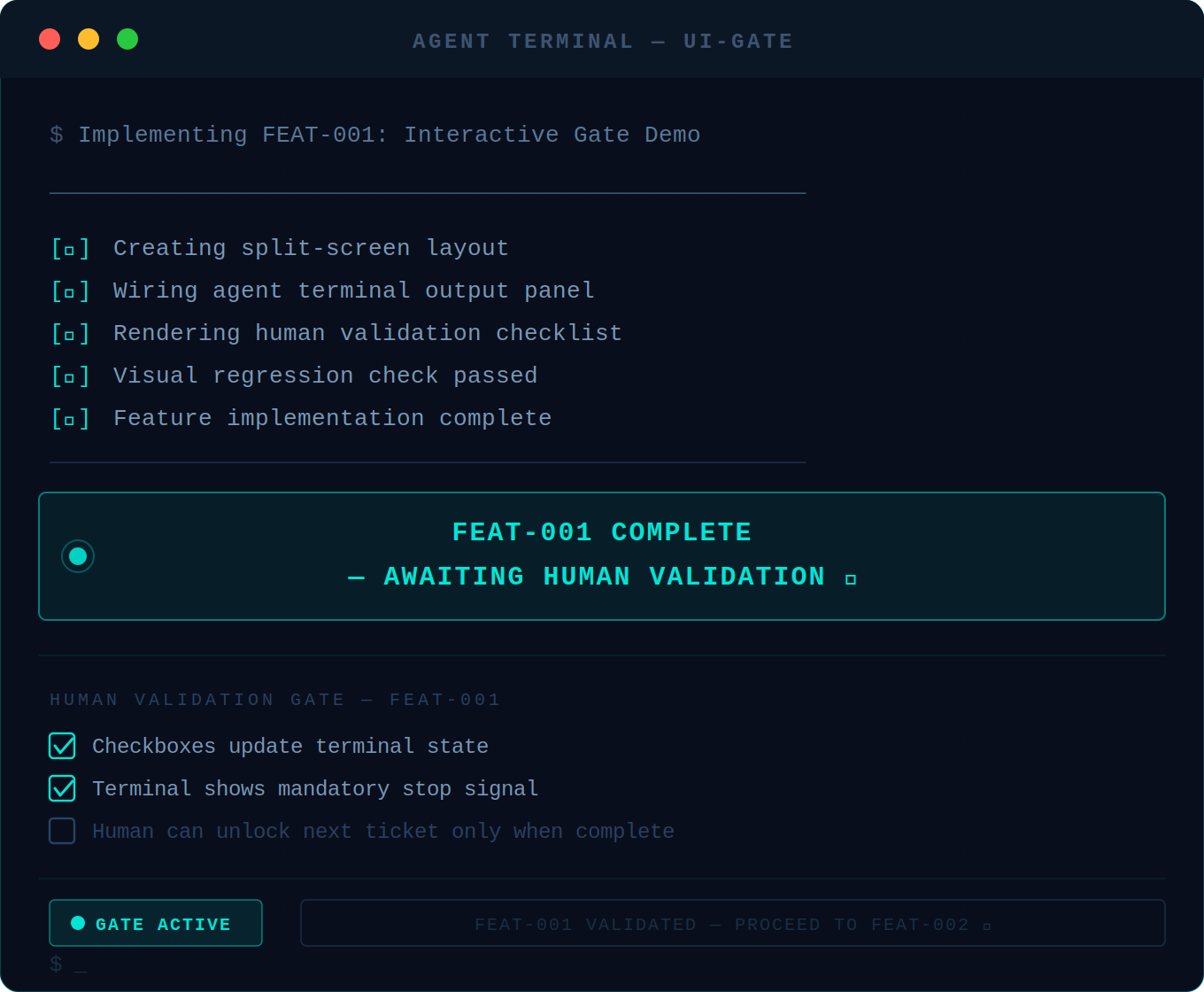
On completion the agent outputs: FEAT-XXX COMPLETE — AWAITING HUMAN VALIDATION and waits. It does not continue.▸ gate active
Human validates in the live UI
The human runs through the validation checklist in the actual running interface — not in code review. Each item is a visual action with an exact expected result.
Human unlocks the next ticket
On passing, the human responds: FEAT-XXX VALIDATED — PROCEED TO FEAT-YYY. The gate opens. The loop repeats.▸ gate cleared
Interactive Simulation
Agent Terminal
> Implementing FEAT-001: Interactive Gate Demo
Create a split-screen UI that simulates the UI-GATE methodology. Left side: Agent terminal output. Right side: Human validation checklist.
[✓] Feature implementation complete
[✓] Visual regression check passed
FEAT-001 COMPLETE — AWAITING HUMAN VALIDATION
Human Validation Gate
Validation Checklist for FEAT-001
Gate Active: All items must be validated
Vibe coding
Agent runs until "done" — you see results at the end
Features compound before any are validated
Broken feature 3 is discovered at feature 12
Rework unwinds weeks of stacked work
Speed collapses at sprint 2 or 3
UI-GATE
Agent runs one ticket, stops, waits for human approval
Nothing stacks on top of unvalidated work
Feature 3 is caught before feature 4 begins
Rework is scoped to one ticket, never a cascade
Velocity stays consistent across all sprints
Relationship to agentic engineering
Andrej Karpathy coined "agentic engineering" in 2026 to describe the discipline of orchestrating AI agents as a developer. UI-GATE is a specific methodology within that discipline — the gate is the mechanism that makes agentic engineering production-safe.
What UI-GATE is not
It is not a testing framework. It is not slow — the gate takes minutes, the rework it prevents takes days. It is not only for Claude — the methodology works with any AI coding agent that can be instructed to stop and wait.
01
UI-first sequencing
Every phase ends with something a human can see and click. Backend-only phases are not permitted unless a UI stub ships in the same phase.
02
One ticket, one concern
Never bundle two features into one ticket. If the instinct arises, split. Atomicity is what makes the gate meaningful.
03
Fail-fast surfaces
If a feature can break visually, the validation checklist must test that break explicitly. Unhappy paths are required checklist items, not optional.
04
No assumed state
Agent instructions must not assume any state that hasn't been built and validated in a prior ticket. Each ticket is written to stand alone.
05
Stop signals are mandatory
Every ticket ends with a hard stop. The agent must not auto-continue. Silence is not validation. The human must explicitly unlock the next ticket.
06
Regression awareness
When a ticket touches a component used by a validated ticket, a regression check is added to the new ticket's checklist. Validated work is protected.
The UI-GATE skill file is a structured markdown document you add to your LLM context, agent framework, or Claude Projects. It instructs the model to decompose requirements into gated tickets, emit stop signals, and enforce the validation loop.
--- name: ui-gate description: Use this skill when the user wants to build software using the UI-GATE methodology (UI-Gated Agentic Task Engineering). Triggers include: any mention of "UI-GATE", "gated agentic", "human-in-the-loop development", or requests to create an implementation plan where a human validates each feature before the agent proceeds. Also use when the user asks to decompose software requirements into agent-ready tickets with UI validation checkpoints, or wants a methodical agentic build plan where nothing ships blind. Do NOT use for general software architecture, code review, or agentic tasks that do not involve sequential human-validated feature delivery. --- # UI-GATE: UI-Gated Agentic Task Engineering UI-GATE is a structured agentic development methodology where every feature must pass a human UI validation checkpoint before the agent is allowed to proceed to the next ticket. Nothing ships blind. Nothing stacks on top of unvalidated work. **Core principle**: The agent builds one thing. You see it working. You approve. The agent builds the next thing. --- ## Your output structure Produce the following sections in order when given software requirements: ### 1. Requirement decomposition Break every requirement into atomic, independently testable features. Each feature must: - Do exactly one thing - Be visually verifiable by a human (something appears, changes, or responds in the UI) - Have zero hidden dependencies on unbuilt features - Be labeled: FEAT-001, FEAT-002, etc.
uigate-skill.md
Markdown · Plain text — works with any LLM · Claude-optimized
The three layers
UI-GATE is the brand. AIDD is the substrate.
The methodology, the runtime-enforced fork, and the upstream framework are three different things. Knowing which is which matters when you read the proof claim at the bottom of this page.
UI-GATE
The gating discipline. Prompt-portable. Atomic feature decomposition, per-ticket human validation, mandatory stop signals, no compounding failures. Theuigate-skill.mdfile at the top of this page is the canonical reference.
layer 1 / 3
uig
The runtime-enforced implementation. A long-term, intentionally-divergent fork of AIDD that turns the methodology from a prompt convention into a structural boundary. The runtime cannot dispatch ticket N+1 before a human runsuig validate.
$ npx uig --cursor          # scaffold
$ npx uig execute            # dispatch one ticket
$ npx uig validate FEAT-001  # human gate
$ npx uig gate-status
View on GitHub →
layer 2 / 3
AIDD
The substrate. The upstream AI Driven Development framework by ParallelDrive. SudoLang Prompt Language, agent runtime, server framework, scaffold commands. The fork reuses all of it.
layer 3 / 3
Empirical Proof
Built with UI-GATE
This portfolio and its verification engine were built using the UI-GATE methodology. 112 atomic features delivered with zero compounding failures. The runtime gate is implemented in thegerardoiornelas/uigfork. The substrate is AIDD by ParallelDrive.
© Gerardo I. Ornelas
Founder of Violetek and author of the Agent Permission Protocol.